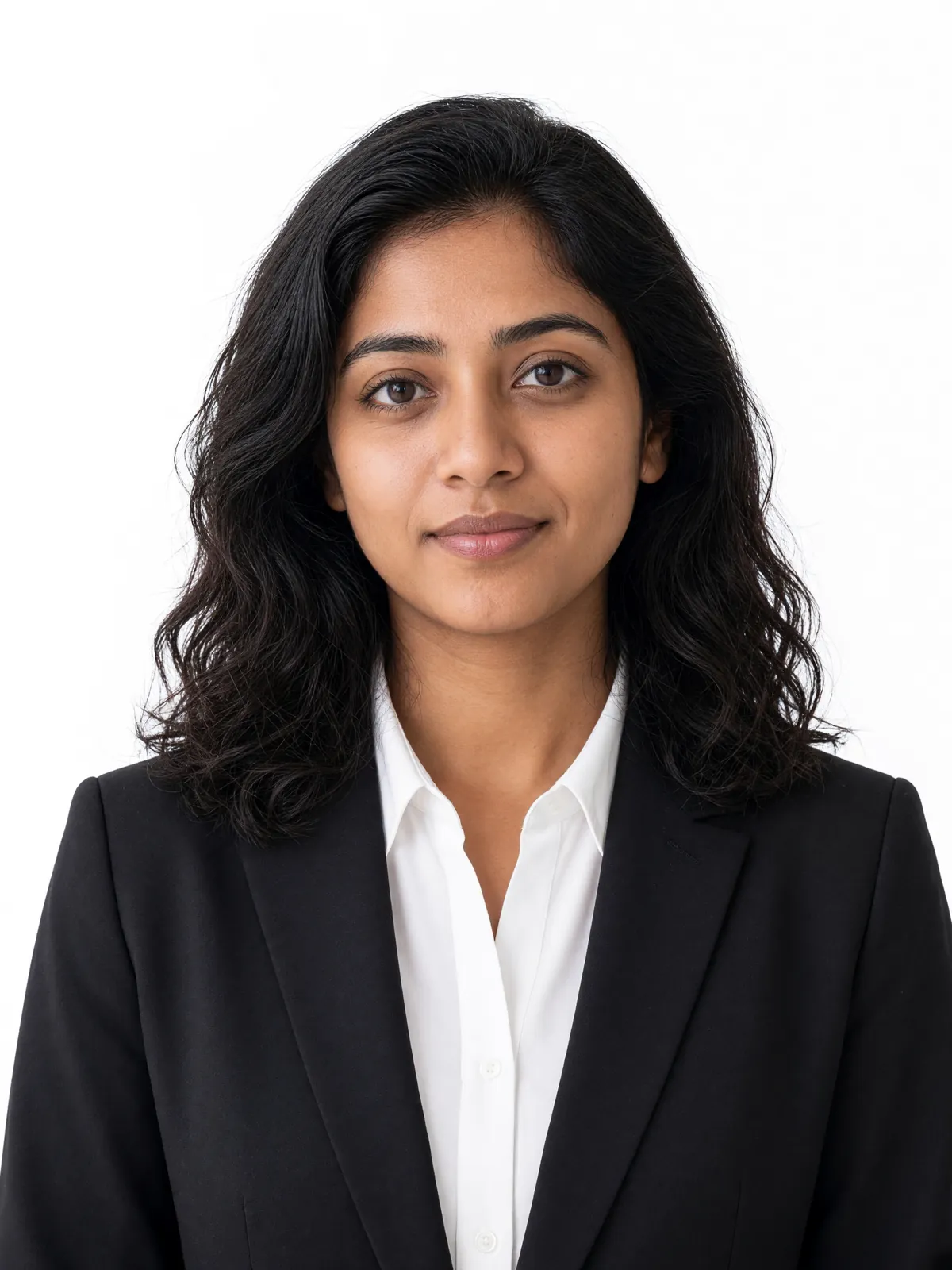
Formal headshot edits: white, blue, ethnic wear, print sheet
These are profile and form photos, not official passport or visa photos. No size or colour on this page is a government rule.
Five tested formal-headshot edits for a profile or a form: white, light blue, ethnic wear, a background-only swap, and a print sheet. Pick an option and press its Copy prompt button. Upload a clear photo, paste it into ChatGPT, Gemini or Grok and generate.
Part of the Passport-size photo trend
- Written for
- ChatGPT, Gemini, Grok
- You'll need
- A clear photo to upload
- Status
- Tested 19 Oct 2026 in grok-imagine-image-2.0
- Test settings
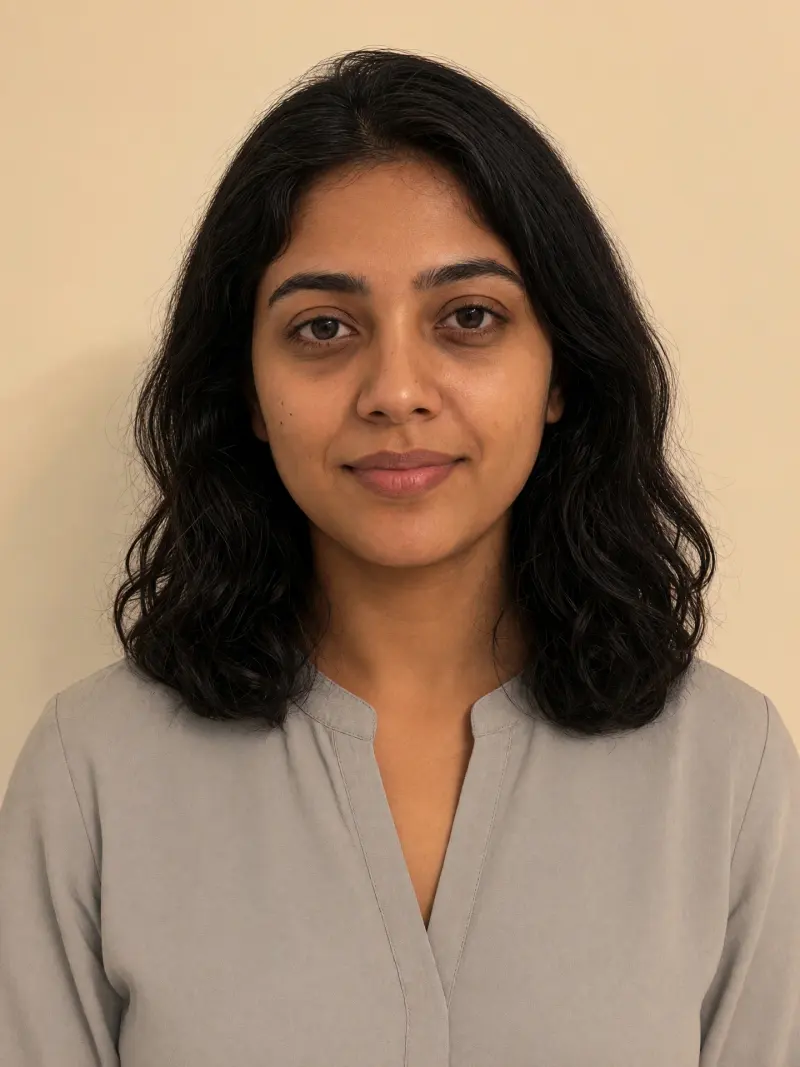
- Reference photo: an AI-generated picture of a fictional woman (not a real person), made in Grok for this test at 3:4 because the image API has no 4:5 preset. Uploaded with the default copy text unchanged. The edit also used aspect_ratio 3:4 (no 4:5 preset). First result used; resized to 1200x1600 and converted to WebP.
- Variability
- Faces, poses and small details vary between runs; always compare the result with your own photo.
How to use it
- Open an external image tool listed above. The tested model, if any, is named in Status.
- Upload a clear reference photo of the subject. If it includes identifiable people, get their consent and check each face.
- Pick an option and press its Copy prompt button, paste it with the photo and generate.
- Compare the result with the reference. If a face, pose or detail changes, ask for one correction or try again; an exact match is not guaranteed.
How to use this prompt
- This prompt changes your own photo. Choose a clear reference photo, and get permission from people who can be identified.
- Upload the photo in the external AI app you chose. Pick an option and press its Copy prompt button, then paste the prompt with the photo.
- Compare the new picture with the original. Face, hands, clothes and pose can change. An exact likeness is not guaranteed.
White background
Front-facing, closed mouth, clothes changed to a dark blazer, on white.
Tested on 19 Oct 2026 in grok-imagine-image-2.0
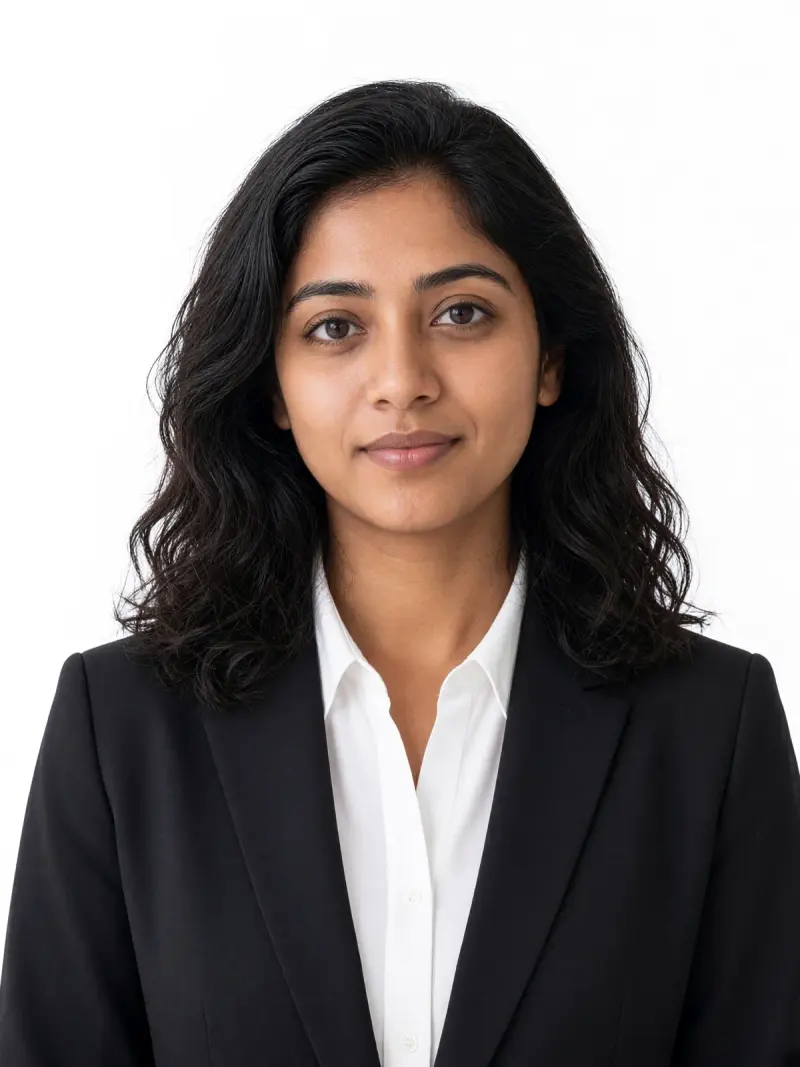
Use the uploaded photo as the reference for the person. Keep the face exactly as it is: do not smooth skin, reshape features, change eye colour or remove marks, glasses or facial hair. Check the result against the reference.
Scene: a plain, evenly lit white background with no texture or shadow.
Pose: facing the camera straight on, head level, neutral expression with the mouth closed, both ears visible if they are in the photo.
Clothing: a dark formal blazer over a plain shirt.
Light: even, shadow-free front light on the face and background.
Style: sharp, natural-colour studio photo, true skin tone, no retouching.
Format: head-and-shoulders crop, vertical 4:5
Avoid: changing the face or identity, skin smoothing, tilted head, shadows on the background, extra fingers, text, logos, watermarks.
Make it yours
- Use a front-facing photo with your head level and a closed mouth.
Common mistakes
- The tested file is 3:4, not the 4:5 crop named in the prompt. The image tool had no 4:5 preset.
Background only
The background becomes plain white. Clothes and pose stay as they are in the photo.
Tested on 20 Oct 2026 in grok-imagine-image-2.0
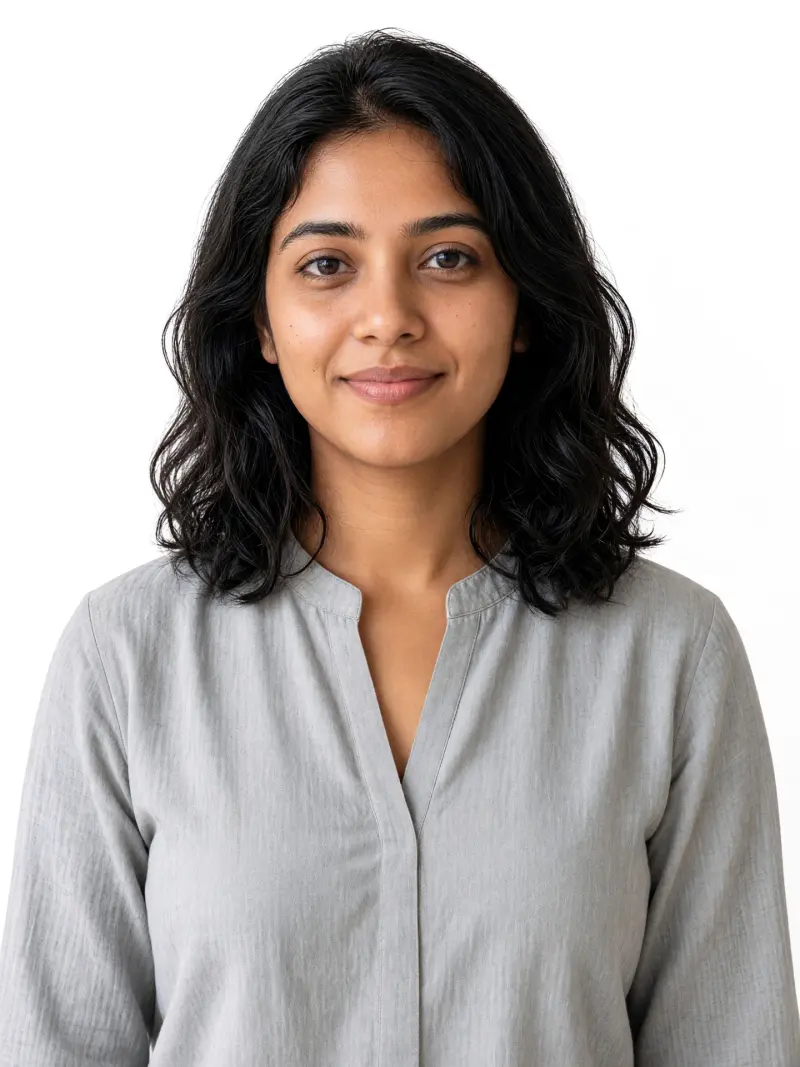
Use the uploaded photo as the reference for the person. Keep the face exactly as it is: same features, natural skin tone, skin texture, pores, marks, facial hair and body shape. Change only what is listed below and check the result against the reference.
Scene: replace only the background with a plain, evenly lit white background, no texture or shadow.
Pose: unchanged, head level and facing the camera.
Clothing: unchanged.
Light: keep the face exactly as lit in the photo; remove shadows only from the background.
Style: sharp, natural-colour photo, clean hair edges, true skin tone, no retouching.
Format: head-and-shoulders crop, vertical 4:5
Avoid: changing the face or identity, skin lightening, skin smoothing, halo edges around the hair, extra fingers, text, logos, watermarks.
Make it yours
- This is the only option that keeps the clothes and the pose from your photo.
Common mistakes
- The face can still drift. Compare it with the original before you use it. The tested file is 3:4, then resized to 1440×1920, not the 4:5 crop named in the prompt.
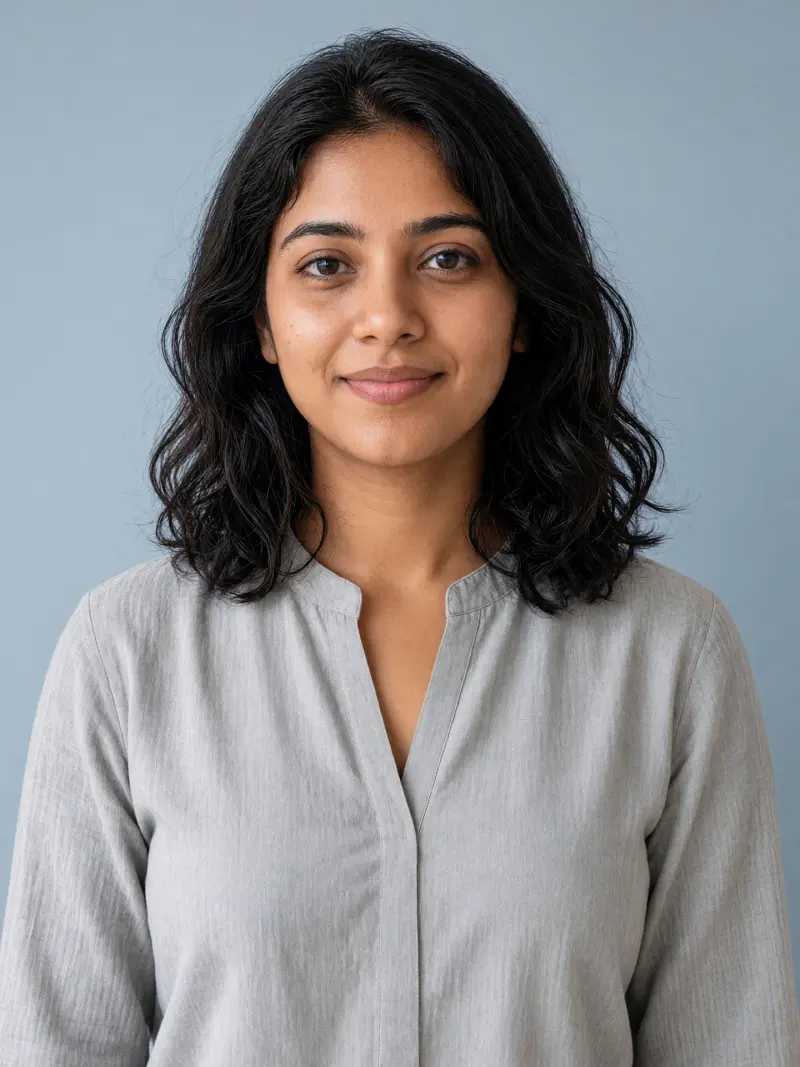
Light blue profile
A square work-profile headshot on light blue, with a slight shoulder turn and a small smile.
Tested on 19 Oct 2026 in grok-imagine-image-2.0
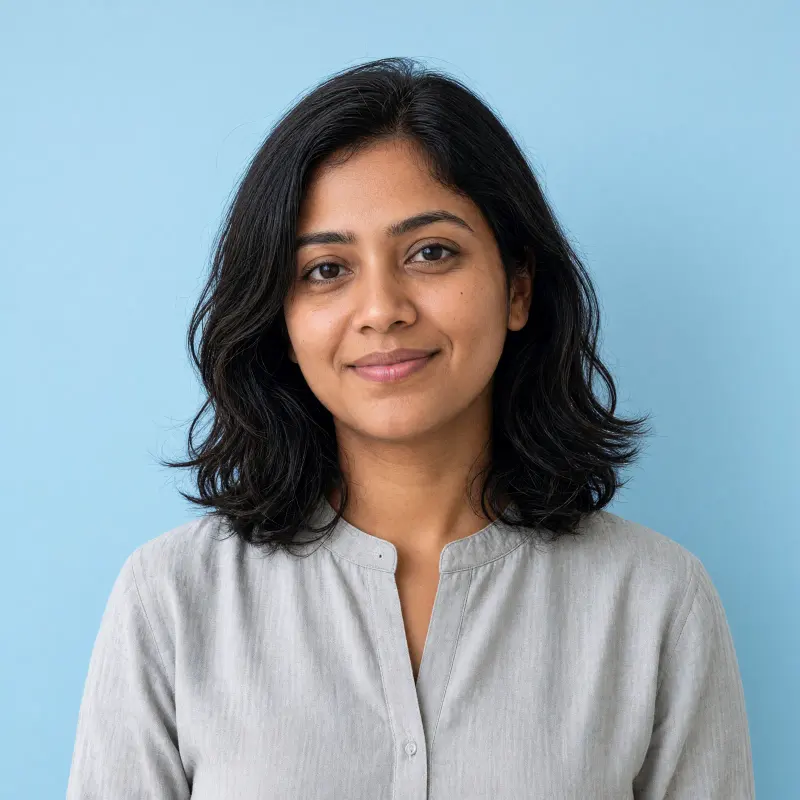
Use the uploaded photo as the reference for the person. Keep the face exactly as it is: do not smooth skin, reshape features, change eye colour or remove marks, glasses or facial hair. Check the result against the reference.
Scene: a plain, evenly lit light blue background.
Pose: facing the camera, shoulders turned very slightly, a small natural smile.
Clothing: the outfit from the photo, neatened, collar straight.
Light: soft, even front light with a gentle catchlight in the eyes.
Style: sharp, natural-colour studio photo, true skin tone, no retouching.
Format: head-and-shoulders crop, square 1:1
Avoid: changing the face or identity, skin smoothing, background blur patterns, extra fingers, text, logos, watermarks.
Make it yours
- This option is a square crop with a slight shoulder turn and a small smile, for a work profile.
Common mistakes
- Light blue here is a profile backdrop. It was tested as a 1600×1600 square.
Ethnic wear on off-white
Square shoulders and a calm face, with the clothes replaced by a deep maroon collared kurta, on off-white.
Tested on 19 Oct 2026 in grok-imagine-image-2.0
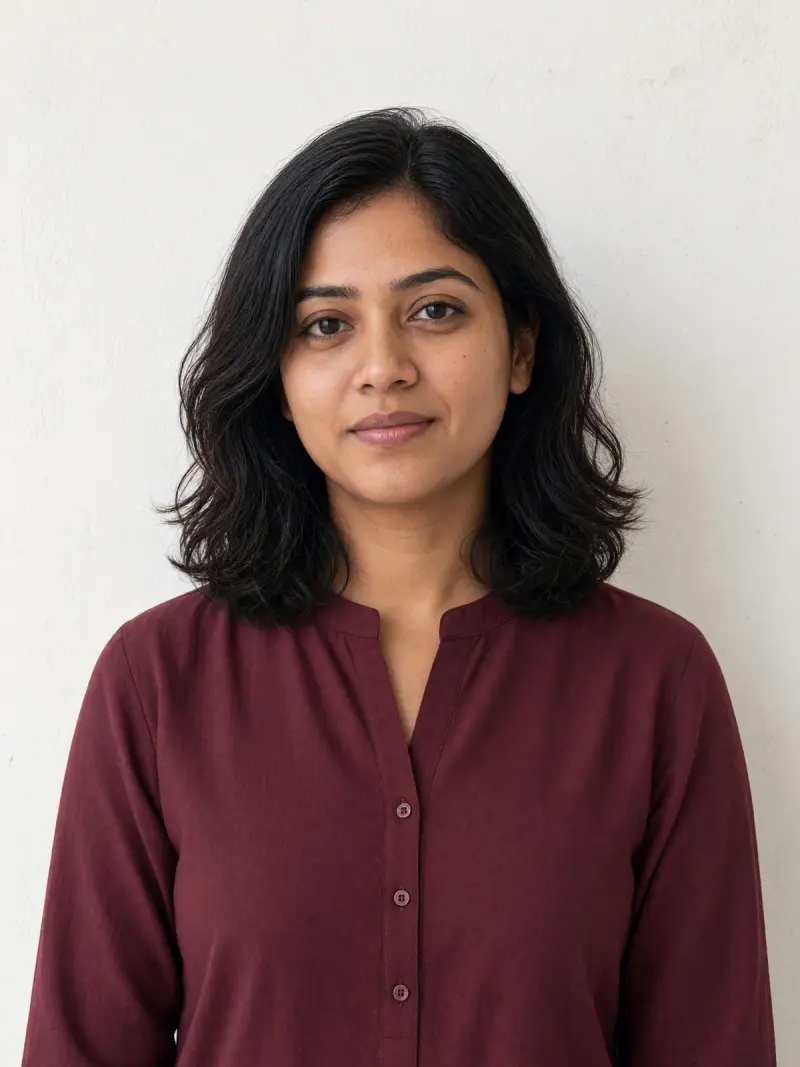
Use the uploaded photo as the reference for the person. Keep the face exactly as it is: do not smooth skin, reshape features, change eye colour or remove marks, glasses or facial hair. Check the result against the reference.
Scene: a plain, evenly lit off-white background with no texture or shadow.
Pose: facing the camera straight on, head level, calm neutral expression, shoulders square.
Clothing: a simple collared kurta in deep maroon, neat and simple, with no large jewellery covering the face or neck.
Light: soft, even front light with no shadows on the face or background.
Style: sharp, natural-colour studio photo, true skin tone, no retouching.
Format: head-and-shoulders crop, vertical 4:5
Avoid: changing the face or identity, skin smoothing, heavy makeup, extra fingers, text, logos, watermarks.
Make it yours
- The tested outfit is a deep maroon collared kurta on an off-white background.
Common mistakes
- The test replaced the clothing. A saree was not tested. The file is 3:4, resized to 1200×1600, not the 4:5 crop named in the prompt.
Print sheet
One horizontal sheet with eight frames of the headshot and thin light-grey cut lines.
Tested on 19 Oct 2026 in grok-imagine-image-2.0
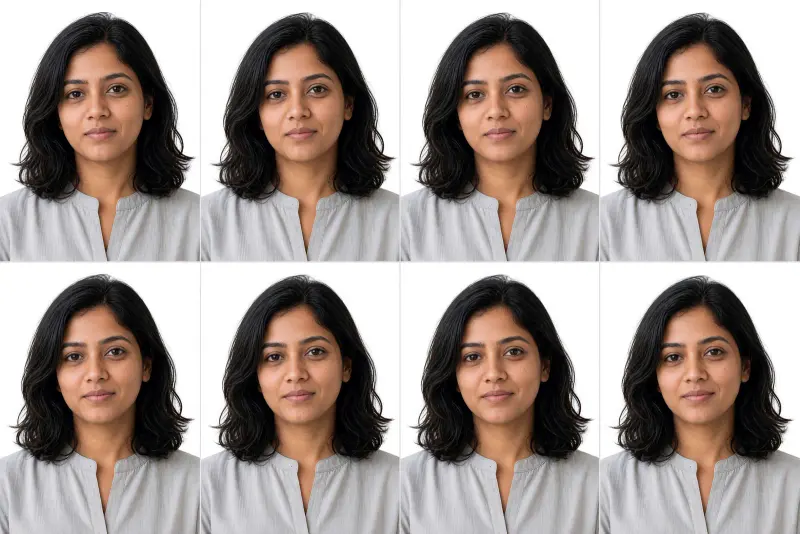
Use the uploaded photo as the reference for the person. Keep the face exactly as it is: do not smooth skin, reshape features, change eye colour or remove marks, glasses or facial hair. Check the result against the reference.
Scene: one printable sheet showing eight identical copies of the same headshot in a neat grid, separated by thin light-grey cut lines, on a white sheet.
Pose: in every copy, facing the camera straight on, head level, neutral expression.
Clothing: the outfit from the photo, neat and plain.
Light: even, shadow-free front light; the plain white behind the head is identical in every copy.
Style: sharp, natural-colour studio photo, true skin tone, no retouching; every copy exactly the same.
Format: horizontal 3:2 sheet
Avoid: copies that differ from each other, changing the face or identity, extra fingers, text, logos, watermarks.
Make it yours
- The test is one horizontal sheet with eight frames and thin light-grey cut lines.
Common mistakes
- The test was asked for matching copies. The eight faces were not the same, and the expressions differed. The file is 1600×1067.
Good to know
- AI-edited photos may be rejected for passports, visas and ID cards. For official documents, follow the issuing office's photo rules and use an unedited photo.
- Use reference photos you have the right to use; get consent from identifiable people.